HertzBloomv1.0.4 · VST3 · AU · free
Retune any track to 432 Hz, or any pitch you like. HertzBloom moves your music from A4 = 440 Hz to any reference pitch from 340 to 540 Hz. It runs with zero latency, sounds natural, and it’s free.
Install & rescan
Rescan plugins in your DAW. In FL Studio: Options > Manage plugins > Find plugins.
Add it
Put HertzBloom on a track or on the master.
Pick a pitch
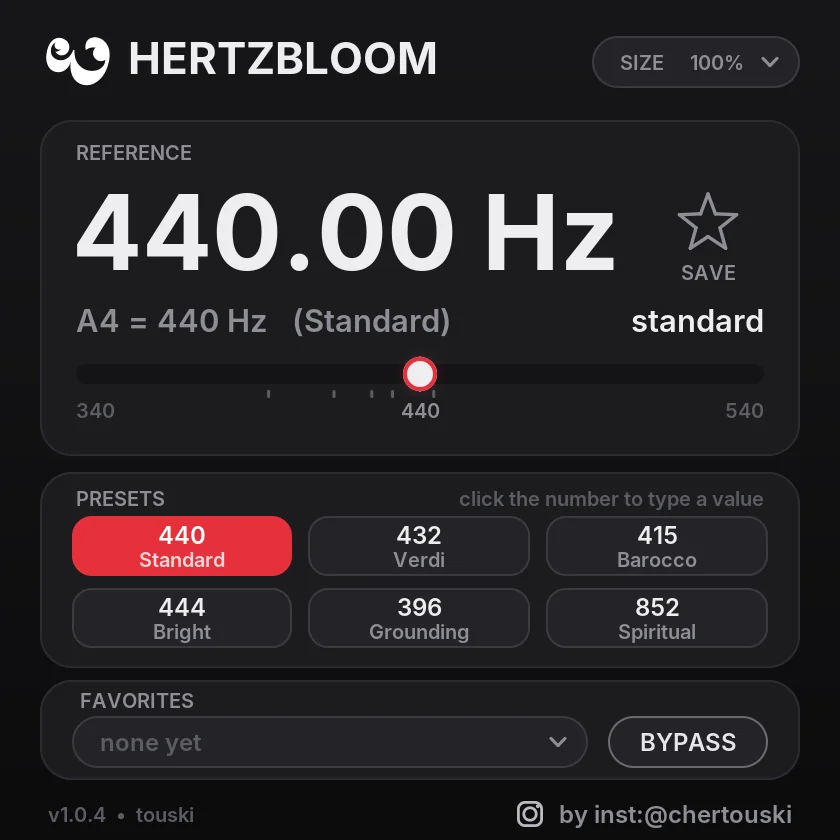
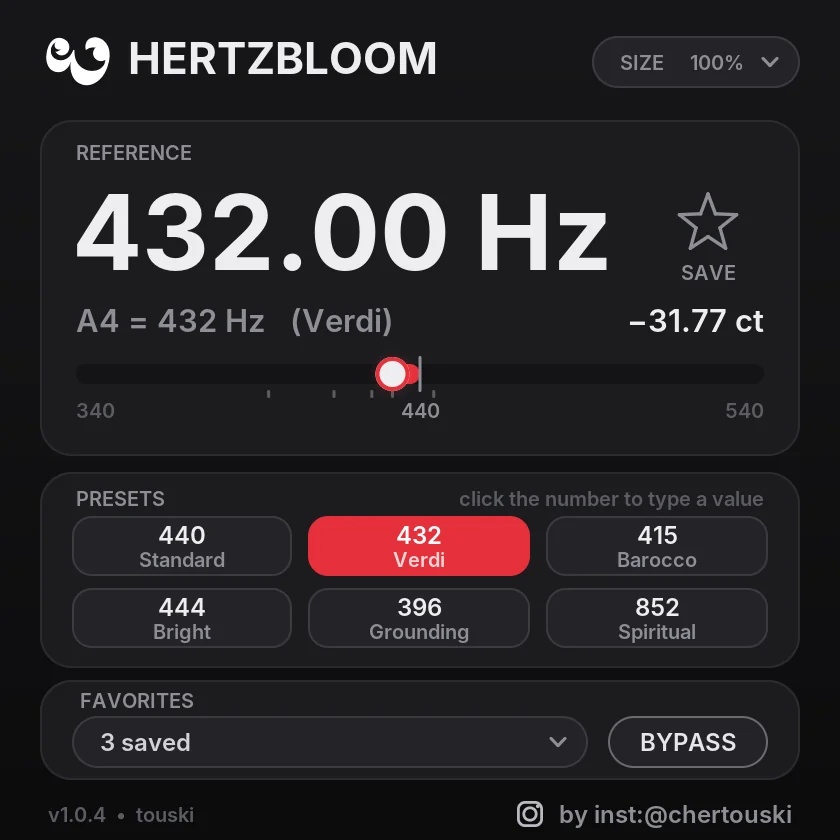
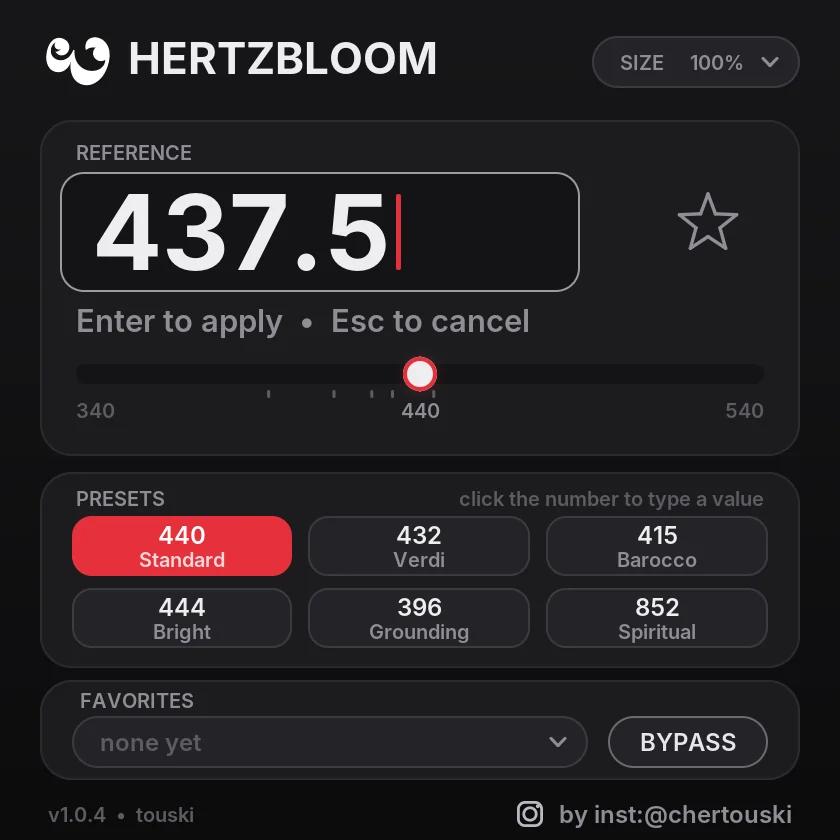
Click a preset, drag the slider or type a value. Double-click the number to go back to 440.
Put HertzBloom on a track or on the master and choose a new reference pitch: 432, 415, 444, or any value you type in. Every note moves by exactly the same amount, so the music stays perfectly in tune with itself. The pitch change works like tape: the audio is played back very slightly faster or slower with high-precision interpolation. Timbre, attacks, stereo image and reverb stay as recorded. There’s no vocoder and no metallic tone.
See it before you install it
Sounds as recorded, only retuned
Zero latency
Nothing to compensate, so it works live and while recording.
Natural, as recorded
Tape-style pitch change with 64-tap sinc interpolation: clean highs, no aliasing.
Stays in sync
Tiny timing corrections sit between hits, phase-aligned to a fraction of a sample, sub and 808 included. Hits are never skipped or doubled.
Exact pitch
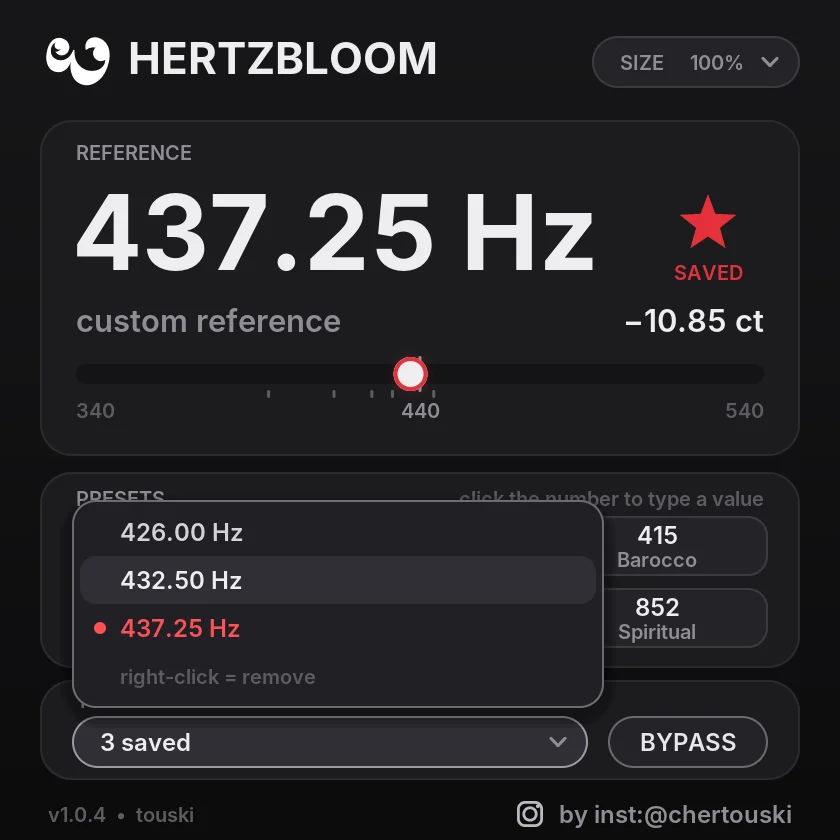
Any frequency from 340 to 540 Hz with the slider, or type a value like 437.25. The shift is shown in cents.
Six classics
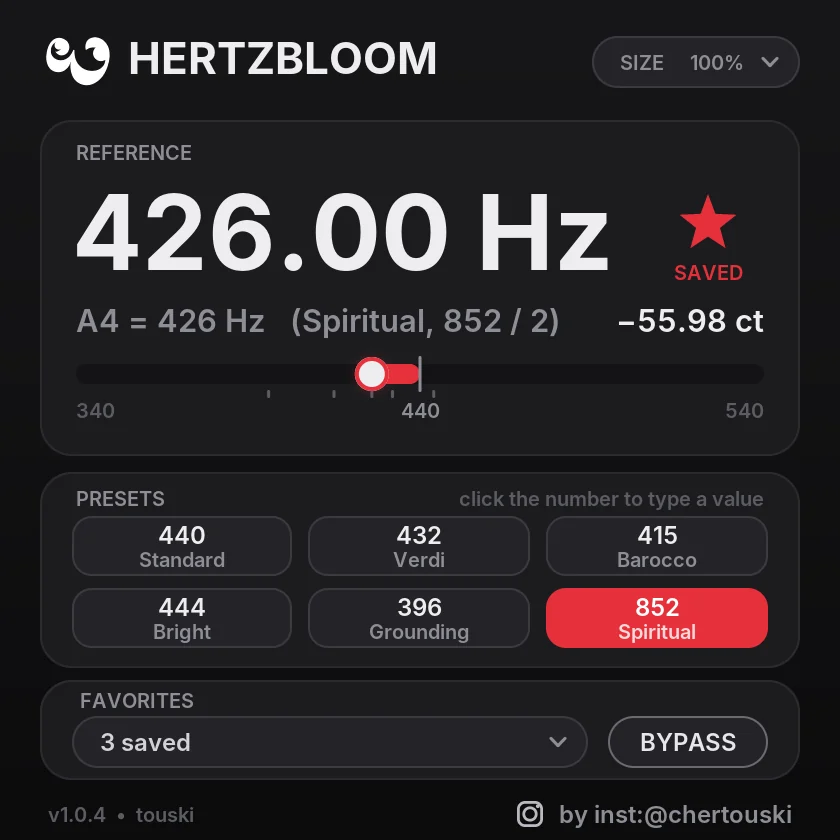
440, 432, 415, 444, 396 and 852 (which plays at 426 Hz, one octave lower).
Your own tunings
Save up to 8 with the star and recall them in any project.
Bit-exact at 440
At 440 Hz the audio passes through untouched. Bypass is click-free.
Resizable
From 25 % to 200 %.
Simple & offline
Everything happens on your computer: no account, no tracking.
Preset names are traditional labels for a reference pitch, nothing more.
One zero-latency engine polished for the most natural sound, with cleaner splices and steadier deep bass, plus a simpler interface.
New versions install over the old one, and saved projects keep their frequency.
Completely free. No trial, no time limit, no license key.
- VST3 for Windows and macOS, AU for macOS
- Windows and macOS installers
- Free checkout: the download link arrives by e-mail
- Install over older versions, your projects keep their setting
Specs
- Format
- VST3 (Windows, macOS) · AU (macOS), 64-bit
- System
- Windows 10 / 11, 64-bit · macOS 10.13 or newer, Apple Silicon and Intel
- Range
- A4 = 340 to 540 Hz, any value down to 0.01 Hz
- Latency
- 0 ms
- Price
- Free · Terms
Questions
Is it really free?
Yes, completely. There’s no trial and no time limit.
Does it change the speed or length of my track?
No. The timing stays locked to your project.
Why does 852 run at 426 Hz?
As an A4 reference, 852 Hz would move everything up almost an octave. 426 Hz (852 / 2) gives the same note one octave lower, so the music stays in a normal range.
Which DAWs does it work in?
Any VST3 host on Windows and Mac, and AU hosts such as Logic Pro on Mac. Rescan plugins after installing. In FL Studio: Options > Manage plugins > Find plugins.
Will my projects keep their setting after updates?
Yes. New versions install over the old one, and saved projects keep their frequency.
How do I get it?
Click Download, enter your e-mail in the free checkout and you get the download link for the Windows and macOS installers. No account and no license key.
Support?
Write to support@touski.net.