ChanceBloomv1.0.5 · VST3 · AU
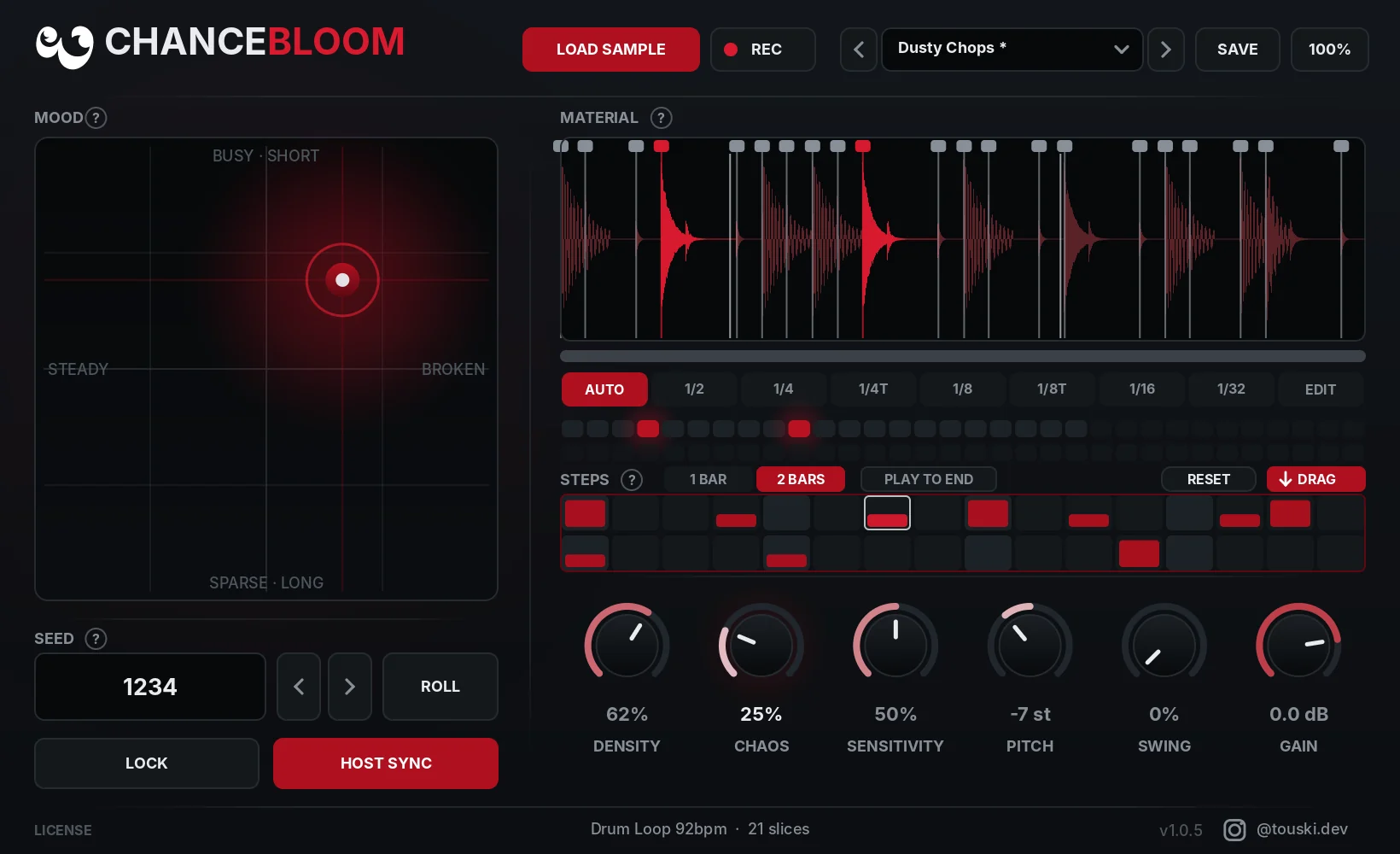
Drop in a loop. Get endless new grooves. ChanceBloom chops any sample at its hits and plays the slices in fresh patterns, locked to your DAW’s tempo. Found one you love? The seed brings it back every time.
Drop in a loop
WAV, AIFF or MP3, or record any track straight into the plugin.
Press play
It slices the loop and plays a new pattern in time with your project.
Shape & drag
Steer it with the Mood pad, then drag the result into your DAW as audio.
See it before you buy
A happy accident on every bar
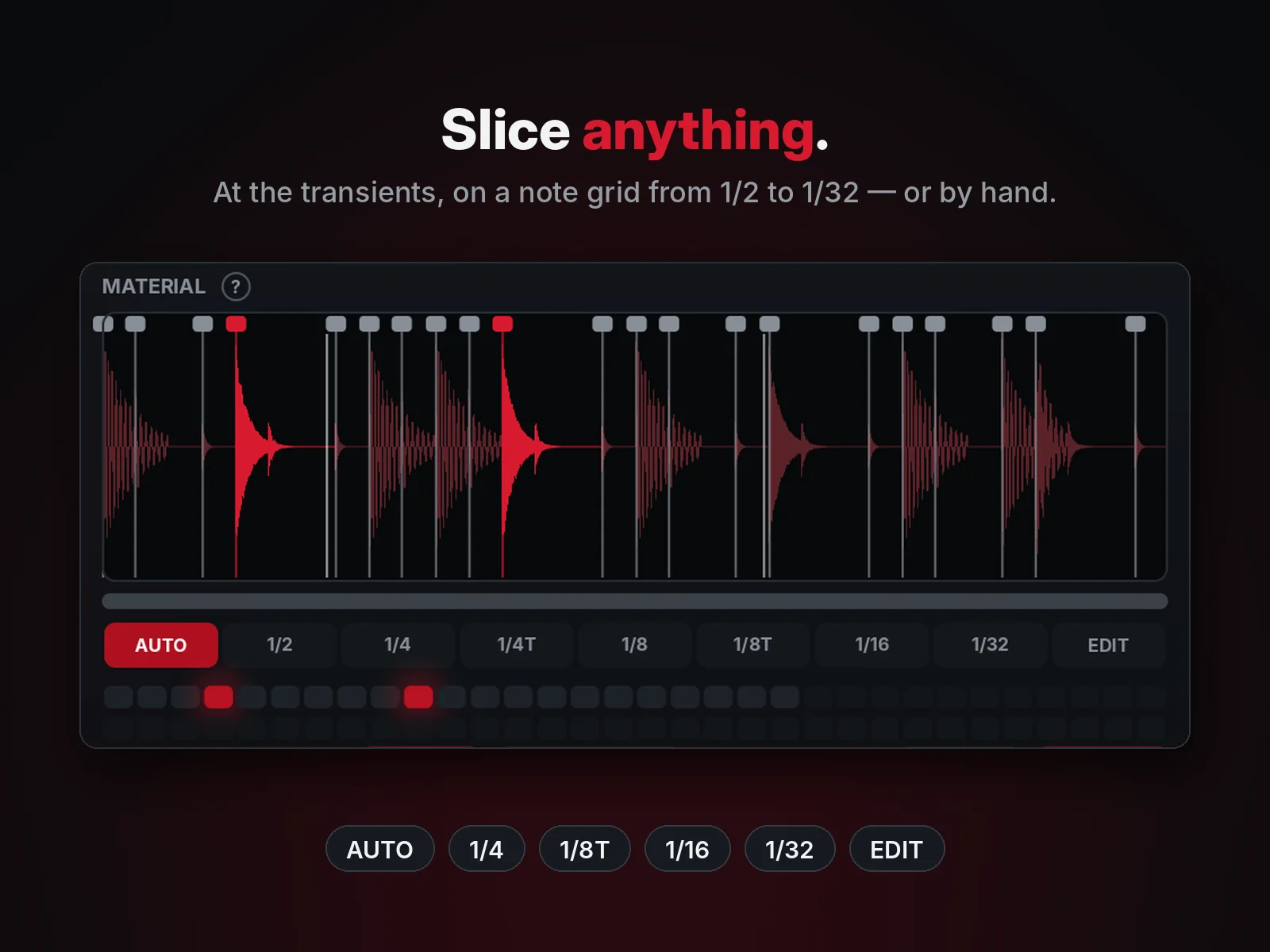
Cuts at the hits
AUTO finds every transient, with a sensitivity knob. Or slice on a note grid: 1/2, 1/4, 1/8, 1/16, 1/32 and triplets, at your DAW’s tempo.
Your own slices
Add, move and delete slice points on the zoomable waveform. Each slice plays to the next one, the last to the end of the file.
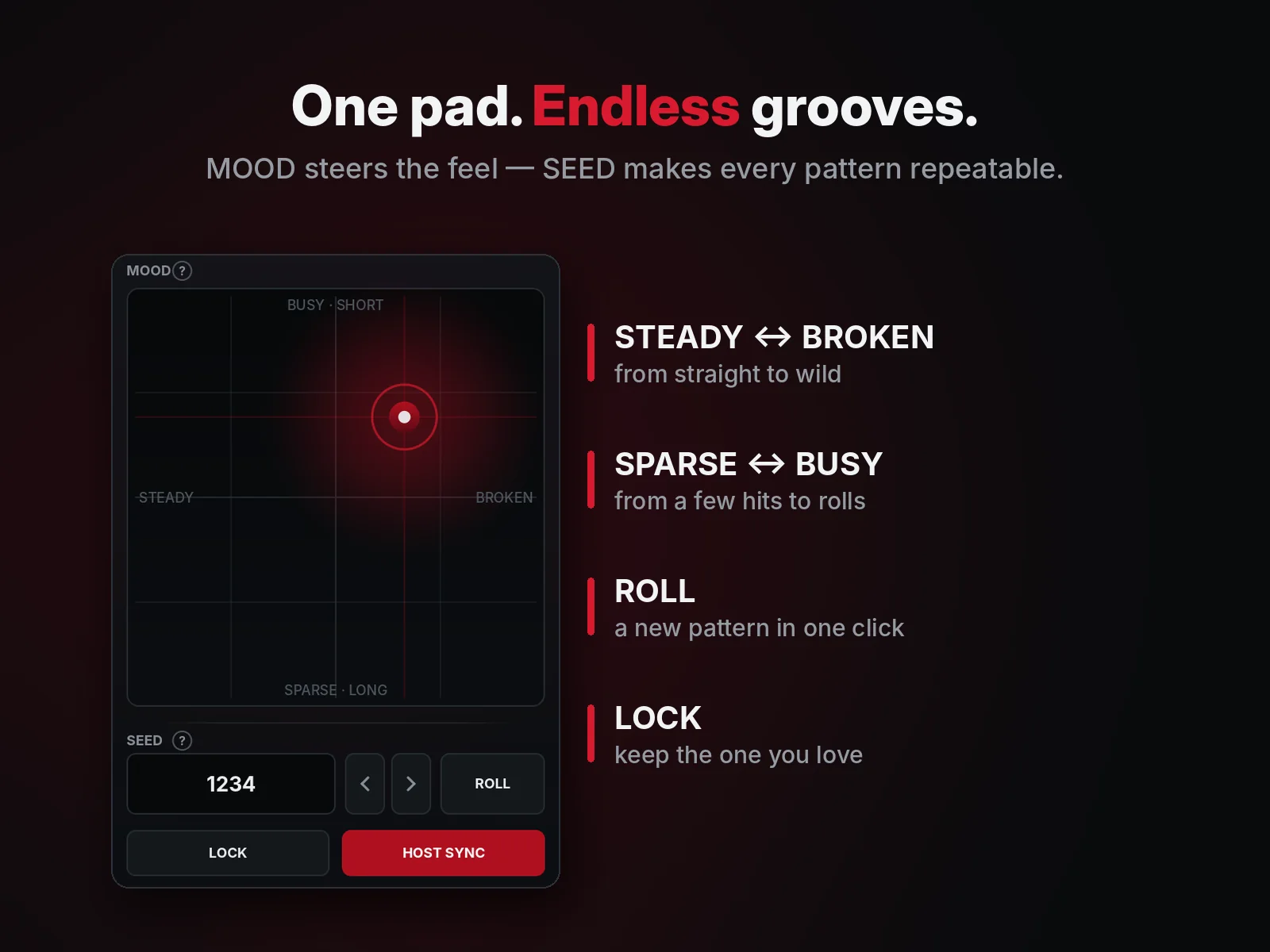
One pad, many grooves
Steady to broken, sparse to busy. Density, chaos and swing shape it further.
Random, but repeatable
Every pattern has a seed. Roll for a new one, lock the one you like, and it comes back the same in every session.
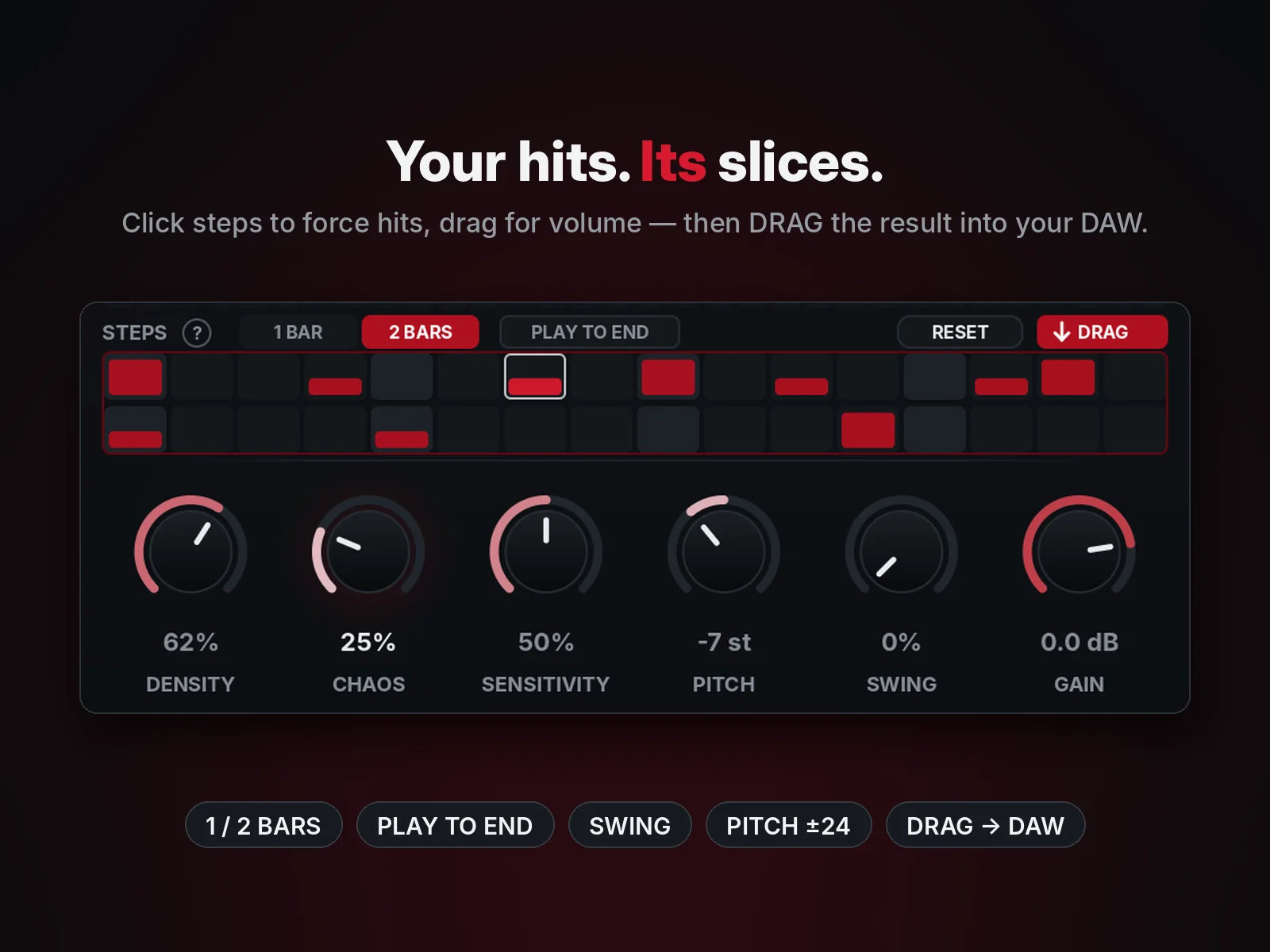
You set the hits
Click steps to force a hit and drag for its volume, over 1 or 2 bars. ChanceBloom picks the slice for each hit.
Let it ring
Each hit plays on until the next one, for long chops and vocal phrases instead of short stabs.
Straight into your DAW
DRAG renders exactly what the sequencer plays and drops it on your timeline as a WAV.
Sample anything
Record any track into ChanceBloom, up to 30 seconds, and chop it on the spot. In FL Studio, put ChanceBloom FX on the track you want.
Whole-loop pitch
±24 semitones for the whole material, plus gain. The window scales from 75 % to 200 %.
- ChanceBloomInstrument
- On a MIDI track or channel, follows the host tempoHost sync
- ChanceBloom FXEffect
- On an audio or mixer track, feeds RECAny track
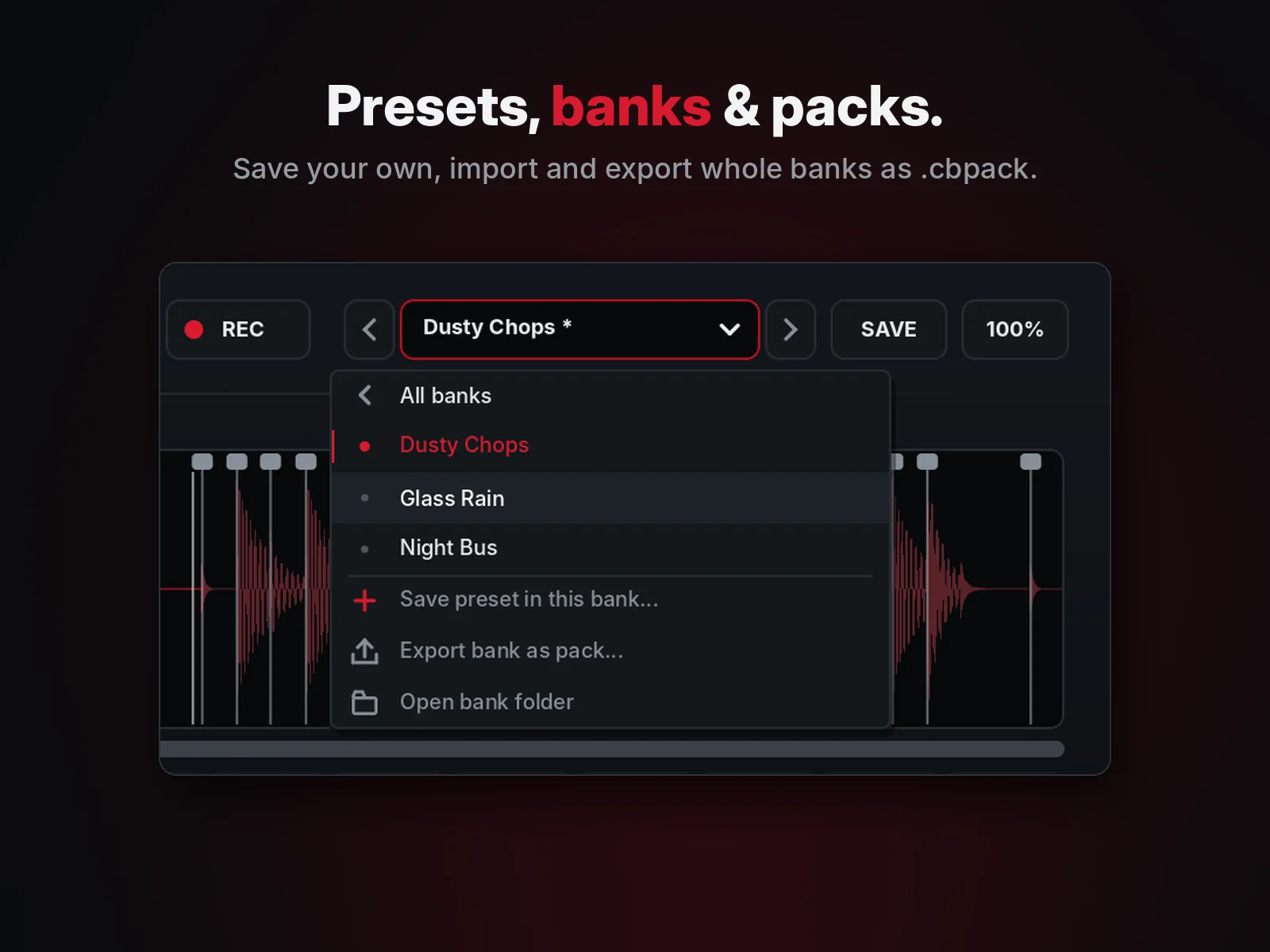
- Presets in banks, packs to share.cbpack
- FL Studio · Ableton LiveVST3
- Reaper · Bitwig · Studio One · CubaseVST3
- Logic Pro · GarageBandAU
Any VST3 or AU host. Made and tested in FL Studio. No AAX and no standalone app.
One payment. Free v1 updates. No subscription.
- VST3 and AU, Windows and macOS
- License key in your receipt e‑mail, right after you pay
- Activate on 2 of your computers, move it any time
- Works offline after activation. No account, no iLok
Final price including VAT for your country is shown at checkout. Refund policy
Specs
- Format
- VST3 (Windows, macOS) · AU (macOS), 64-bit
- System
- Windows 10 / 11, 64-bit · macOS 10.13 or newer, Apple Silicon and Intel
- Plugins
- ChanceBloom (instrument) · ChanceBloom FX (effect)
- Audio in
- WAV, AIFF, MP3 · recording up to 30 s
- Audio out
- Stereo · DRAG renders a 32-bit float WAV
- Activation
- License key, 2 computers · EULA
Questions
How do I install it?
- Windows: run the installer (.exe). It installs
ChanceBloom.vst3toC:\Program Files\Common Files\VST3\. Rescan plugins in your DAW. - macOS: run the installer (.pkg). It installs the VST3 to
/Library/Audio/Plug-Ins/VST3/and the AU to/Library/Audio/Plug-Ins/Components/. The installer is not signed with an Apple Developer ID yet: if macOS warns you, open System Settings → Privacy & Security and click Open Anyway.
Both plugins are listed under the vendor touski.
How do I activate it?
Your license key is in the receipt e-mail from Lemon Squeezy (and under My Orders). Copy it, open ChanceBloom, click ACTIVATE at the bottom left, then PASTE KEY & ACTIVATE. That’s it — from then on it works offline.
My studio computer has no internet.
In the activation window press COPY REQUEST CODE, open touski.net/activate on any device, paste it there and bring the activation code back with PASTE ACTIVATION CODE.
On how many computers can I use it?
Two at a time, Windows or Mac. Moving to a new one? Open LICENSE → DEACTIVATE THIS COMPUTER on the old one first. Old computer broken or gone? Write to us and we free the slot.
What happens before I activate?
Everything works, but the sound drops out for one second every 60 seconds and DRAG export is off. Activation removes both at once.
Instrument or effect — which one do I use?
Use ChanceBloom (instrument) on a MIDI track or channel: load a sample and press play. Use ChanceBloom FX on an audio or mixer track when you want to record that track with REC, or to play ChanceBloom right on that track.
Does it follow my DAW’s tempo?
Yes. With HOST SYNC it locks to your project’s tempo and bars; FREE RUN plays on its own clock. Grid slicing (1/2 to 1/32) uses the host tempo too.
Which DAWs does it work in?
VST3 and AU hosts such as FL Studio, Ableton Live, Logic Pro, GarageBand, Reaper, Bitwig, Studio One and Cubase. Logic Pro and GarageBand need the AU version. There is no AAX and no standalone app.
Can I use what I make in my releases?
Yes. Everything you make with ChanceBloom is yours, royalty-free, forever. You only need the rights to the samples you load into it.
Can I get a refund?
See the refund policy. We refund double charges and faults we cannot fix.
Support?
Write to support@touski.net.