GrooveBloomv1.0 · VST3 · AU
Your drums already wrote the melody. GrooveBloom listens to your beat or sample, finds every hit and the key, and plays melodies and chords right on that rhythm.
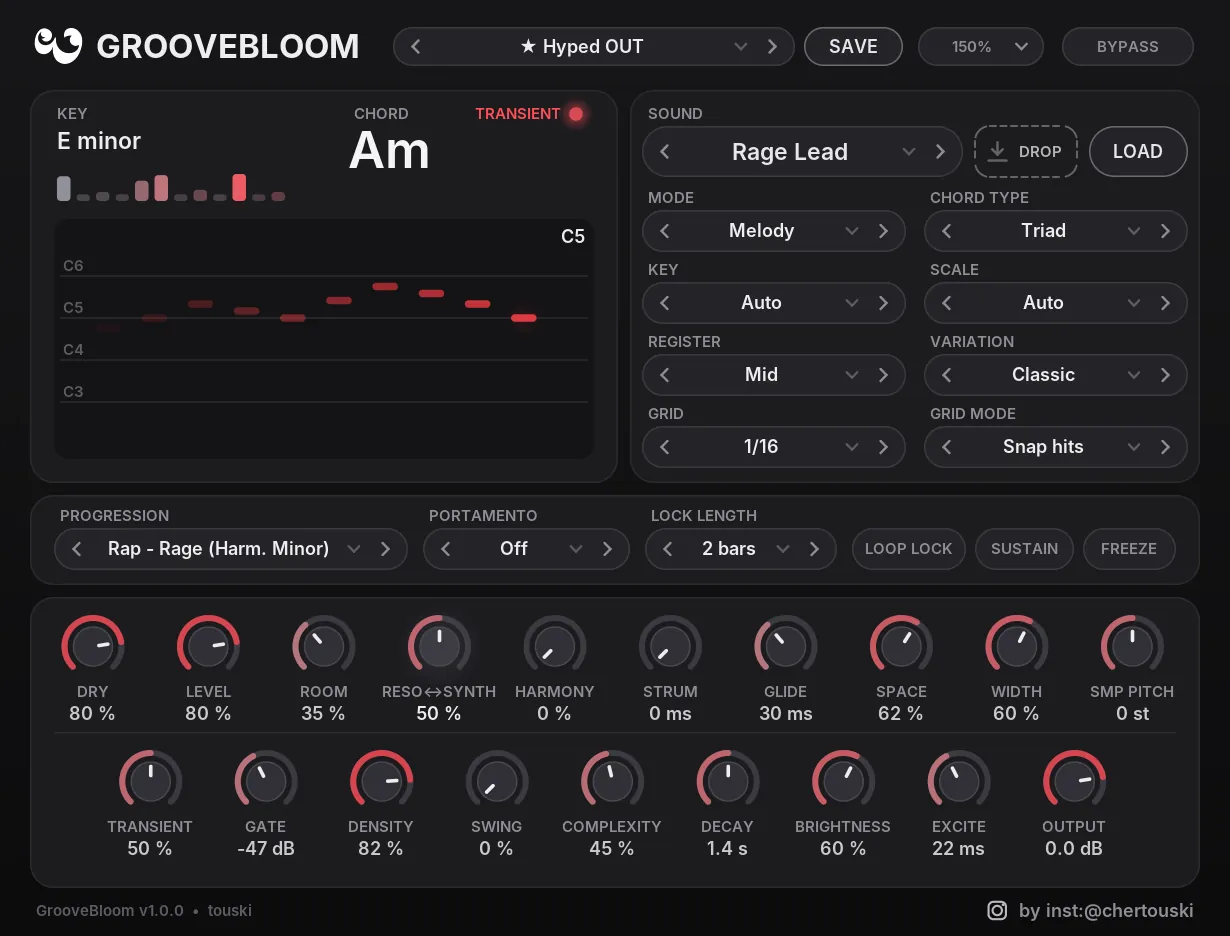
Feed it a beat
Put it on a drum loop, sample or full beat in the mixer.
It finds the key
Key and chord are detected live, or set them yourself.
Notes hit the groove
Every hit plays a note or chord in the scale. Lock it or send the MIDI out.
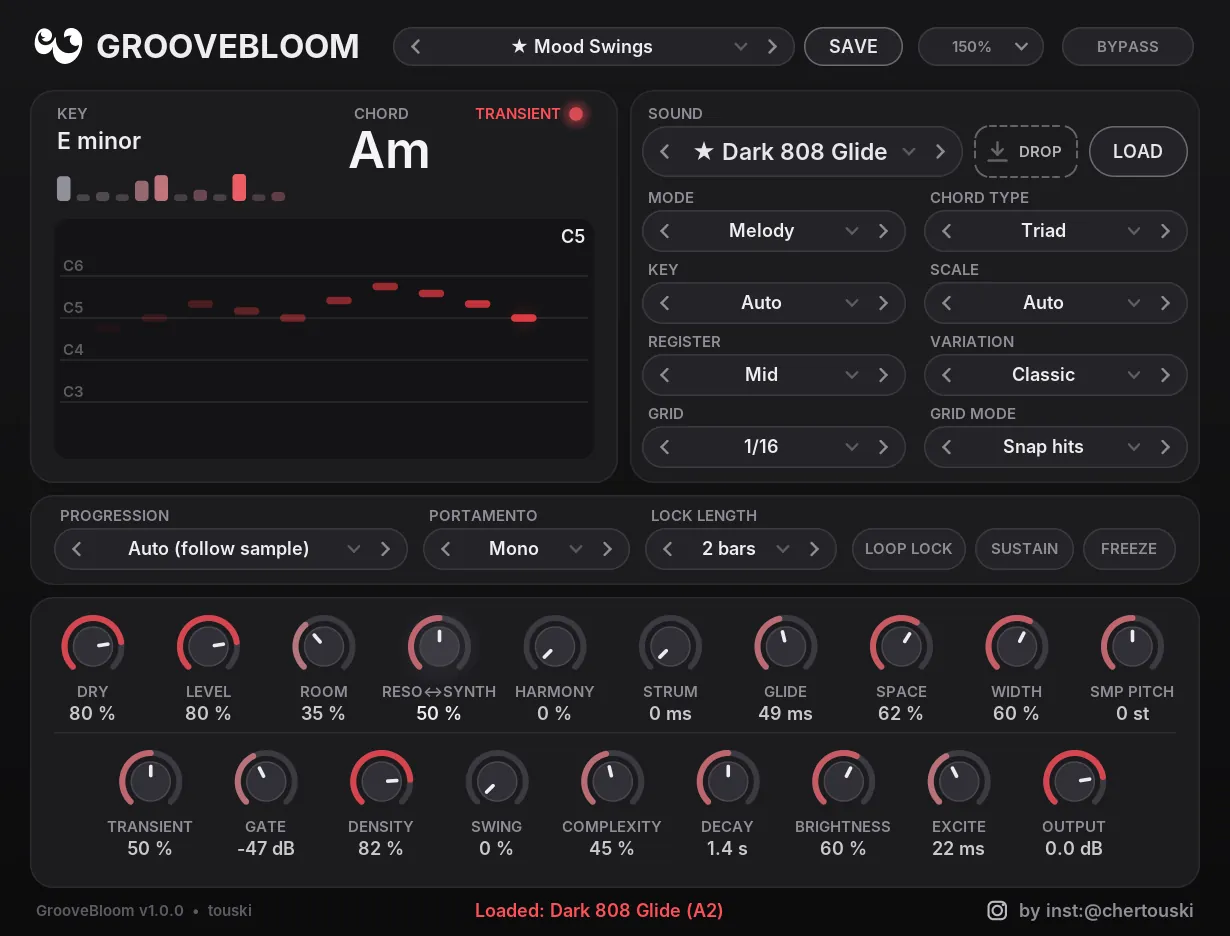
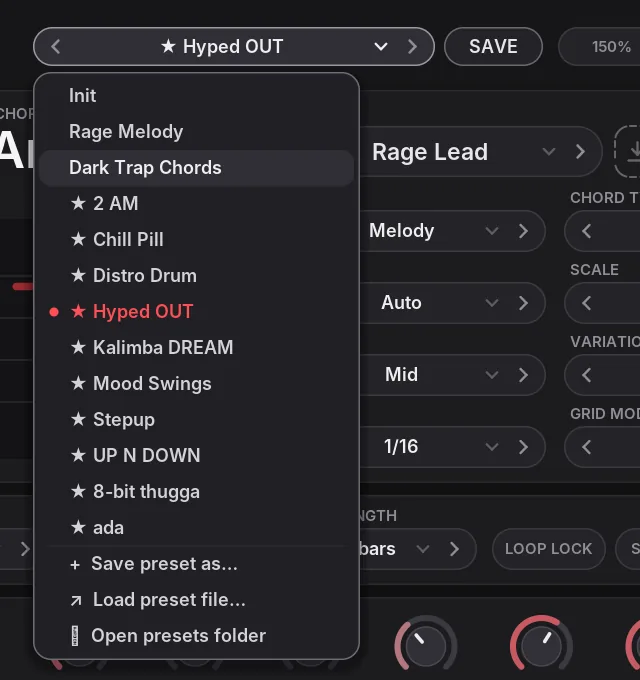
See it before you try it
Everything it does
Key & chord detection
Reads the audio live. Auto mode follows the sample as it changes.
Transient engine
Sensitivity, gate, grid 1/4 to 1/32 with triplets, swing.
4 play modes
Melody, Chords, both, or Arpeggio. Triad to Add9, with strum.
Keep the take
Lock a line for 1, 2, 4 or 8 bars. Freeze holds the motif.
Your own synths
Send the notes to Serum, Vital or any instrument.
Your own sound
WAV or MP3, pitch detected, 808 glides included.
Banks & packs
25 presets. Save your own, share banks as .gbpack.
Zero latency
Export sounds exactly like playback at any buffer size.
Synth & FX
32 sounds with drive, chorus, delay, reverb and pump.
- Rap · RageHarm. minor
- Rap · Dark / EmoMinor
- TrapPhrygian
- Drill · DarkMinor
- R&B · Neo-Soul, Late Night, ii V IMajor
- Pop · 4 classicsMajor
One payment. Free v1 updates. No subscription.
- All 32 sounds and 25 presets
- License for every computer you personally use
- Windows and macOS downloads, instantly
- License key by e-mail, within 24 hours
Final price including VAT for your country is shown at checkout. No refunds for a change of mind after download, so try the demo first. Refund policy
Free demo
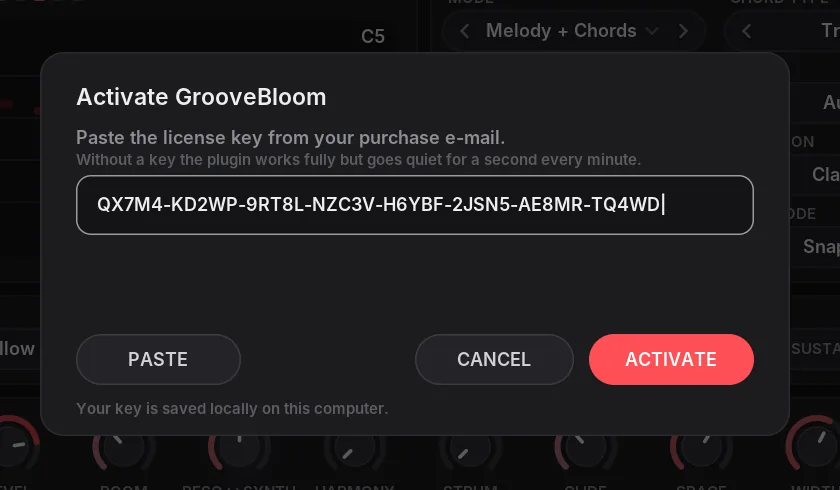
Every feature works. The demo goes quiet for a second once a minute. Your key removes that.
- Format
- VST3 (Windows, macOS) · AU (macOS), 64-bit
- System
- Windows 10 / 11, 64-bit · macOS 10.13 or newer, Apple Silicon and Intel
- Host
- Any VST3 or AU host: Ableton Live, FL Studio, Logic Pro, GarageBand, Reaper, Cubase, Bitwig, Studio One…
- Size
- Plugin under 1 MB, nothing extra to install
- Activation
- License key · EULA
Questions
Which DAWs does it work in?
Any host that loads VST3 or AU plugins: Ableton Live, FL Studio, Reaper, Cubase, Bitwig, Studio One and others on Windows and Mac, plus Logic Pro and GarageBand on Mac through the AU version. Try the free demo in your DAW before you buy.
Is it an instrument or an effect?
An effect. Put it on the audio you want it to listen to. It plays its own sound on top and can also send MIDI to any instrument.
Can I use what it plays in released songs?
Yes. Everything you make with GrooveBloom is yours, royalty-free, in any release.
Can I share presets?
Yes. Export a whole bank as one .gbpack file and import packs from other producers by dragging them onto the plugin.
How do I use MIDI out?
GrooveBloom sends every note it plays as MIDI, so you can play it with Serum, Vital or any instrument. In FL Studio open the plugin wrapper settings, set a MIDI output port, then give your synth the same input port. Routing MIDI from an effect works differently in each DAW, so check your setup with the free demo.
Can I get a refund?
We don’t refund a change of mind once the download has started, so please try the free demo first: it has every feature. We do refund double charges, keys we could not deliver and faults we cannot fix. See the refund policy.
How do I get my license key?
After your purchase we e-mail your personal key, within 24 hours. Paste it into the plugin with ACTIVATE. Questions? Contact us.
Does it work on Mac?
Yes. GrooveBloom runs on macOS 10.13 or newer, on Apple Silicon and Intel Macs, as both a VST3 and an AU (Audio Unit) plugin. Logic Pro and GarageBand use the AU version; other DAWs can load either. One purchase gives you both the Windows and the macOS download, and one licence key works on both.
macOS says the plugin can’t be opened. What do I do?
The macOS build is not signed with an Apple developer certificate yet, so macOS may block it the first time your DAW loads it. To allow it:
- Put
GrooveBloom.vst3in your VST3 folder, usually~/Library/Audio/Plug-Ins/VST3, andGrooveBloom.component(AU) in~/Library/Audio/Plug-Ins/Components. Open your DAW once so macOS shows the warning. - Open System Settings → Privacy & Security, scroll down to Security and click Open Anyway next to the GrooveBloom message, then confirm.
- Restart your DAW or rescan plugins.
If the button does not appear, open Terminal and run these commands (change the paths if you installed the plugin elsewhere), then rescan. In Logic Pro, rescan in Plug-in Manager.
xattr -dr com.apple.quarantine ~/Library/Audio/Plug-Ins/VST3/GrooveBloom.vst3
xattr -dr com.apple.quarantine ~/Library/Audio/Plug-Ins/Components/GrooveBloom.component
Still stuck? Contact us.